Crafting Depth: The 3D Layered Winter SVG Guide
There is a distinct quietness to winter landscapes that flat images often struggle to capture. The way snow settles on pine branches, the subtle shadows cast by falling flakes, and the depth of a frosty forest require more than a single plane of color to feel authentic. This is where the 3D Layered Winter SVG transforms digital design into tangible art. By utilizing multiple vector layers, creators can build shadow box effects that mimic real-world depth, turning a simple cut file into a mesmerizing display of light and dimension. Whether you are a small business owner looking to expand your holiday inventory or a hobbyist eager to elevate your home decor, understanding how to leverage these layered files can significantly improve the quality and impact of your projects.
Understanding the Mechanics of Digital Depth
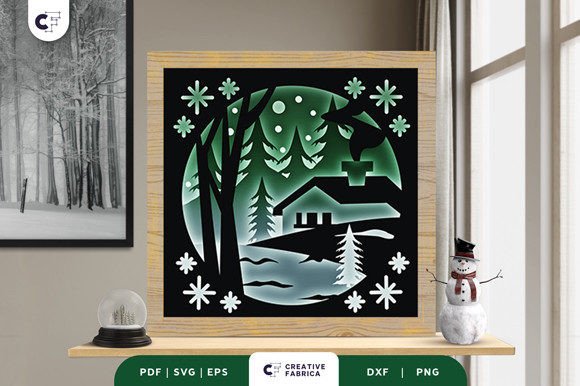
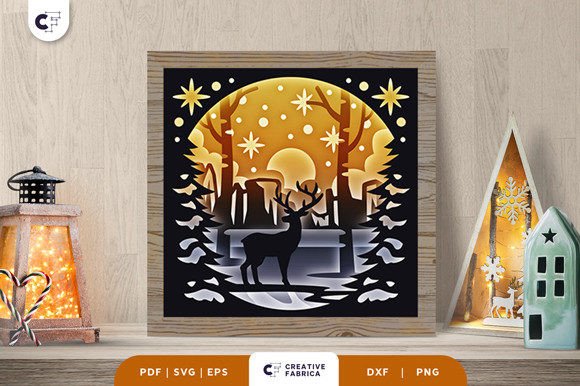
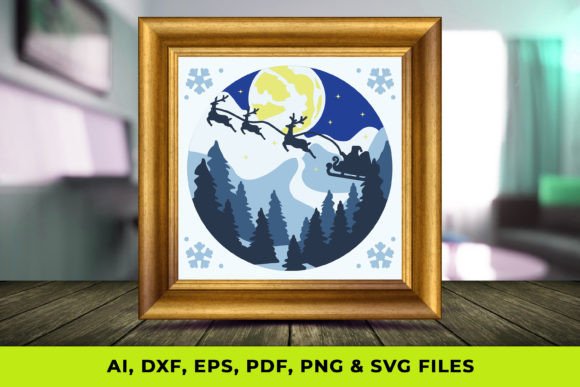
At its core, a 3D Layered Winter SVG is not just a single image; it is a collection of precisely aligned vector paths designed to be cut from different materials or printed on separate sheets. When assembled, these layers create parallax effects and physical depth that static graphics cannot achieve. The magic lies in the spacing between layers. By inserting foam adhesive strips or specialized spacers between each cut piece, you allow light to travel through the design, casting soft shadows that define the contours of snowdrifts, tree bark, and wildlife.
For professionals working with cutting machines like Cricut or Silhouette, the value of having access to comprehensive file formats—such as SVG, PNG, PDF, AI, EPS, and DXF—cannot be overstated. Each format serves a specific purpose in the workflow. While the SVG ensures clean cuts for vinyl and cardstock, the AI and EPS files allow graphic designers to modify anchor points in Adobe Illustrator before production. This flexibility means you are not stuck with a rigid design; instead, you can adjust element sizes, swap out seasonal motifs, or change color palettes to match specific brand guidelines or personal aesthetics.
Enhancing Product Value for Makers and Entrepreneurs
For entrepreneurs and freelancers in the crafting space, differentiation is key. The market for winter decor is saturated with flat decals and standard prints. Introducing a product line based on 3D Shadow Box Art immediately elevates the perceived value of your offerings. Customers are often willing to pay a premium for items that demonstrate intricate craftsmanship and visual intrigue. A layered winter scene displayed in a deep-frame shadow box becomes a focal point in a room, offering a level of elegance that flat wall art lacks.
Consider the practical application for a boutique owner preparing for the holiday season. Instead of selling generic snowflake ornaments, you could offer custom family name signs set against a backdrop of layered evergreen trees and falling snow. The ability to personalize these designs effortlessly using the provided vector files allows for rapid prototyping. You can test different color combinations—perhaps a monochromatic white-on-white scheme for a modern look, or rich blues and silvers for a traditional feel—without needing to redraw the artwork from scratch. This efficiency saves time during the busy Q4 rush, allowing you to focus on assembly and marketing rather than design bottlenecks.
Streamlining the Production Workflow
Efficiency in creative work often comes down to the quality of the source files. A well-constructed 3D Layered Winter SVG package simplifies the decision-making process during production. Because the layers are pre-separated and optimized for cutting, you eliminate the tedious task of manually tracing images or separating colors in software. This is particularly beneficial for educators teaching digital fabrication or bloggers creating tutorial content. When the technical barriers are lowered, the focus can shift to creative expression and technique refinement.
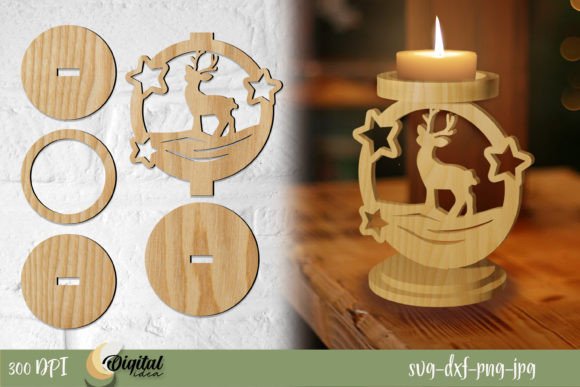
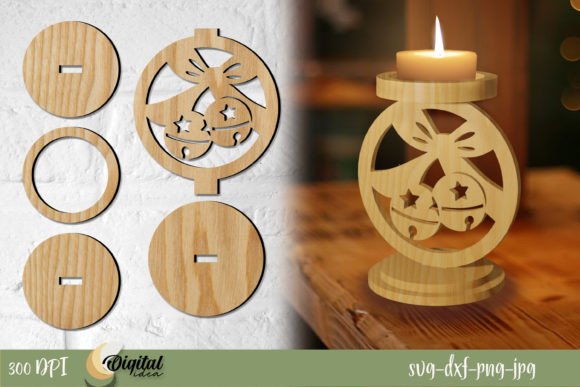
Furthermore, the versatility of these files supports a wide range of materials. While cardstock is the traditional choice for paper crafting, these designs translate beautifully to wood veneers, acrylic sheets, and even heat-transfer vinyl for textiles. A marketer might use a simplified version of the layered design for social media graphics, utilizing the PNG files with transparent backgrounds to create engaging posts that hint at the physical product's depth. This cross-platform utility ensures that your creative assets work harder for you, supporting both physical product lines and digital marketing campaigns.
Practical Applications Beyond Holiday Decor
While the immediate association with winter SVGs is often Christmas or holiday decor, the applications extend far beyond seasonal decorations. Interior designers and home stagers utilize these layered pieces to add texture to neutral spaces year-round. A subtle, monochrome layered landscape can serve as sophisticated office art, providing a calming visual break without being overly thematic. Additionally, publishers and greeting card manufacturers can use these layers to create high-end pop-up cards or textured book covers that engage the tactile senses of the reader.
It is important, however, to consider the limitations and fit of these projects. Creating effective 3D layered art requires an understanding of spatial relationships. If the layers are too close together, the shadow effect is lost; if they are too far apart, the structural integrity of the piece may suffer, especially when using heavier materials like wood. Users should always test a single unit before committing to a large batch. Additionally, the complexity of the design matters. Highly intricate layers with very thin connections may be difficult to weed or assemble for beginners. In such cases, selecting a design with bolder shapes or reinforcing delicate areas during the cutting process is a prudent step.
Maximizing Creativity Through Customization
The true power of the 3D Layered Winter SVG lies in its adaptability. Because you have control over every layer, you can tell a unique story with each piece. Perhaps you want to highlight a specific animal, like a deer or an owl, by making that layer a contrasting color while keeping the background subtle. Or maybe you wish to incorporate LED lighting behind the rear layer to create a backlit lantern effect, turning the shadow box into a glowing nightlight. These modifications transform a standard template into a bespoke creation that reflects your unique style.
For those new to the medium, starting with a three-to-five-layer design is recommended. This provides enough depth to be visually striking without becoming unmanageable during assembly. As you gain confidence, you can experiment with more complex files that include ten or more layers, allowing for gradated shading and highly detailed foreground elements. The included documentation and variety of file types ensure that whether you are using free software or professional suites, you have the tools necessary to succeed.
Ultimately, integrating 3D Layered Winter SVG files into your workflow is about more than just making pretty things; it is about solving the problem of visual flatness in a digital world. It offers a bridge between virtual design and physical presence, allowing creators to produce work that commands attention and evokes emotion. By leveraging the depth, customization options, and material versatility these files provide, you can create outcomes that resonate deeply with your audience, whether they are customers buying a gift or viewers admiring your latest portfolio piece.